





















Filmit.io
Meet Your
Assistant Editor.
Filmit puts 50+ plugins, effects, and transitions inside your editor. It cuts your silences, assembles your rough cuts, cleans your projects, and handles the busywork, so you stay on the creative part of the edit.
Free to download. 7-day trial unlocks every tool, cancel anytime.
Ae Pr Resolve · New FCP · Soon
Reviews
What editors say
Reviews and messages from people cutting real projects with Filmit.
I LOVVVEE IT
I've genuinely loved my experience with Filmit. Whenever I had a problem, their support team responded incredibly fast and helped me solve it right away. The plugins included are absolutely worth the price and the overall quality is outstanding.
90% of the effects in my latest video are from Filmit. So far it's been great! Can't wait to use it more.
I am incredibly satisfied with Filmit
The feature that allows you to instantly source GIFs, stock videos, and photos directly saves me a massive amount of time during my editing workflow. It is a complete game-changer!
Your tools solve such weirdly specific pain points, centralizing every color across an entire After Effects project into one panel is such an editor-only problem to even think to build.
Saves me time and keeps getting better
The tools are straightforward and have made it much easier to create videos without getting bogged down in a complicated process. The catalog is deep and they regularly add new tools, so there always seems to be something useful to try.
Watch the Demo
See Filmit Studio in Action
A quick tour of the desktop app that installs, activates, and updates every tool from one place.

See It In Action

Your assistant editor's home base. One desktop app installs, updates, and licenses every plugin, effect, and asset. Watch the install animation below, then explore the pages yourself.
How It Works
Three Steps. Every Tool.
1
Download Filmit Studio
Free on Mac and Windows. No credit card to download, just create an account and look around.
2
Start Your Free Trial
Unlock every plugin, effect, transition, and asset for 7 days. $20/month after, cancel anytime.
3
Edit With an Assistant
Every tool appears inside your editor instantly and stays updated automatically. Open your project and go.
What It Does
Your Assistant in Action
Real tools on real timelines. Here is what happens to the boring parts of your edit.
RoughCut
PrResolveDrop in raw interviews and get back a real, editable rough cut, transcribed locally.
Explore RoughCut →Editor
PrResolveClears silences, filler words, and repeated takes in one pass, with every change shown in the script.
Explore Editor →JumpCut
PrResolveFinds every silence and dead moment in your footage, then cuts them in one click.
Explore JumpCut →Sync
PrResolveMatches cameras to recorder audio and stacks multicam angles into a master timeline.
Explore Sync →BRoll
PrResolveListens to your sequence and places real, editable B-roll matched to what is being said.
Explore BRoll →TextPilot
AePrResolveFind, replace, translate, and restyle every text layer across a project at once.
Explore TextPilot →GridMaker
AePrResolveSplit screens, video walls, and mosaics without an hour of masking.
Explore GridMaker →Mapper
AePrResolveAnimated travel maps built from your stops, right inside your editor.
Explore Mapper →GIFer
AePrResolve FreeSearch GIPHY and KLIPY and drop animated GIFs straight into your timeline.
Explore GIFer →Organizer
AePrResolveAuto-sort your project and let watch folders file new imports for you.
Explore Organizer →Shortcut
AePr FreeA small icon bar of one-click timeline fixes, from adjustment layers to a QC scan.
Explore Shortcut →Gravity
AeReal 2D physics that bakes down to clean, editable keyframes.
Explore Gravity →The Full Toolbox
50+ Tools. One Subscription.
Everything below is live today and included with Filmit Studio. New tools ship at no extra cost.
Plugins 23 live · 3 coming
RoughCut AI rough cuts PR · DR Editor Clean talking-head cuts PR · DR JumpCut Cut silence automatically PR · DR Sync Automatic audio sync PR · DR BRoll B-roll placed for you PR · DR Captions Animated, editable captions AE · PR GIFer GIPHY in your timeline AE · PR · DR Sourcer Free stock media AE · PR · DR GridMaker Split screens & walls AE · PR · DR TextPilot Bulk edit every text layer AE · PR · DR Mapper Animated travel maps AE · PR · DR EXpress Text & motion presets AE · PR · DR Organizer Tidy project panels AE · PR · DR Slideshow Photos to slideshow AE · PR · DR Credits Spreadsheet to credit roll AE · PR · DR ChitChat Text convos for video AE · PR · DR Shortcut One-click timeline fixes AE · PR Gravity Physics to keyframes AE ColorMaster Central color control AE CallOuts Animated tracking labels AE ProXimity Distance-reactive animation AE Reducer Project cleanup AE ToolKit Everyday editing utilities AE
In the Works
LUTManager Browse & apply LUTs Soon Comper Batch clips to sequences Soon Overlays Film grain & light leaks Soon
Workflow panels for After Effects, Premiere Pro, and DaVinci Resolve.
Filmit FX 22 effects
CRTme CRT & retro display simulation VHS VHS tape look Fringe Chromatic aberration Thermal Thermal / heat-vision look Glitch Digital glitch & datamosh Lumen High-quality glow & bloom Codestream Digital code-rain Comlink Holographic projection Pixl Retro pixel-art / 8-bit look Halftone Comic & print halftone Nightvision Night-vision goggle look Retro Retro video-game footage look Ghost Spectral ghost look Sentinel Sci-fi security-tracker HUD CameraShake Natural handheld camera shake Sketch Hand-drawn sketch look RGB True RGB / CMY channel splitter BlackHole Gravitational black hole WaterRipple Water-ripple refraction LiquidMetal Flowing chrome / liquid metal Socials Social-media UI overlay Terminator T-800 red HUD vision
Native GPU effects for After Effects, Premiere Pro, and DaVinci Resolve.
Filmit Transitions 23 transitions
Filmit Dissolve Premium dissolve Glitch Cut Digital-glitch cut Flash Bright exposure blow-out VHS Cut VHS-style cut Whip Whip-pan Camera Roll Rolling camera tilt Liquid Fluid melt RGB Collapse RGB channels split and collapse Portal Energy portal pull-through Neon Streak Neon light streak sweep Hologram Deconstruct Holographic shatter Pixel Sort Pixel-sort smear Prism Sweep Prismatic light sweep Code Wipe Falling code wipe Liquid Morph Liquid-metal morph Speed Ramp Motion-blurred speed ramp Crash Zoom Fast punch-in crash zoom Camera Shutter Camera shutter snap HUD Scan Sci-fi HUD scan sweep Ink Bleed Ink bleed reveal Paint Splash Paint splash reveal Black Hole Collapse Black hole collapse Security Cam Security-cam channel switch
Native GPU transitions for After Effects, Premiere Pro, and DaVinci Resolve.
Every Tool in Detail →
Plus web apps for call sheets, crew lists, release forms, and budgets, on the way.
Native GPU Effects & Transitions
45+ Looks. Zero Precomps.
Real GPU plugins, not preset packs: what you preview is exactly what renders. Here's a taste, every clip below is the actual effect running.
Why Filmit
One Toolbox Instead of Twenty Installers
Most editors build their toolkit one purchase at a time. Filmit Studio replaces the pile with a single app and a single subscription.
Compare Plugins one at a time
Price A separate price for every plugin One plan covers every plugin, effect, and transition
Licenses A license key to track for each tool One account unlocks everything
Installing A different installer for each one One-click installs from a single app
Updates Check and update each plugin by hand Updates arrive in the background
New tools Pay again when something new comes out New tools included at no extra cost
Your editor Panels from different makers that all work differently One toolkit across After Effects, Premiere Pro, and DaVinci Resolve
Try Filmit Studio
Free to download • 7-day free trial • Every tool included • Cancel anytime
On YouTube
Creators Featuring Filmit Tools
Editors on YouTube are putting Filmit plugins in their roundups. Watch them in use.

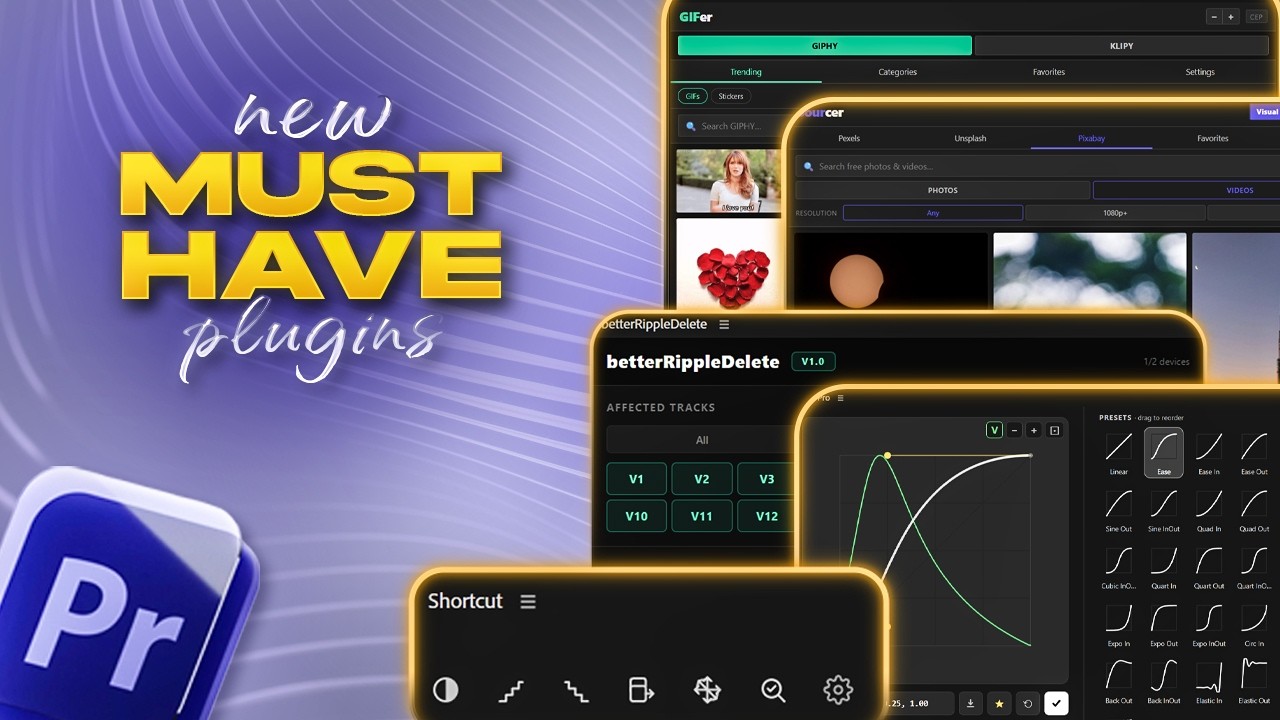
7 Must-Have Premiere Pro Plugins for Every Video Editors

Premiere Pro FREE Plugin Nobody Talks About!

Premiere Pro'da Zaman Kazandıracak 3 Hayat Kurtaran Plugin!
4 videos
Pricing
One Plan. Everything.
Start free with four tools. One subscription unlocks every tool we make, with no add-ons and no per-tool pricing.
Free
$0
Free forever
No Card Needed
Create Free Account No card required. Upgrade whenever you want the rest.
Most Popular
Pro
$16/month
$192 billed yearly
Save $48/year
7-Day Free Trial
$20/month
Billed monthly
Switch to annual and save $48
7-Day Free Trial
- Full MCP access
- All 20+ plugins
- All 20+ Filmit FX effects
- All 20+ Filmit Transitions
- Courses included
- Auto-updates
- Discord community
- 20% savings
- Early access to new tools
- Cancel anytime
Card required. Billed $192/year after your 7-day trial unless you cancel.
Card required. Billed $20/mo after your 7-day trial unless you cancel.
Teams
$14.40/seat/mo
$172.80 per seat, billed yearly
10% off for teams
5 seats
- Everything in Pro, per seat
- Admin dashboard
- Assign seats by email
- 2 devices per seat
- Add seats anytime, prorated
- One invoice for the team
- Priority support
$864/year for 5 seats. No trial. Cancel anytime.
Enterprise
Custom
For studios and larger crews
Built around your pipeline
- Everything in Teams
- 10+ seats, volume pricing
- SSO and SAML sign-in
- Custom plugin and workflow development
- Custom invoicing and purchase orders
- Dedicated support contact
- Onboarding for your whole crew
Tell us how your team works and we will shape the plan to fit.
Integrations
Works Inside Your Editor
The Studio installs tools straight into After Effects, Premiere Pro, and DaVinci Resolve. Open your project, they're already there.
Ae
After Effects
CC 2020+
Pr
Premiere Pro
CC 2020+
DR
DaVinci Resolve
First Tools Live
FCP
Final Cut Pro
Coming Soon
FAQ
Questions, Answered
Ask anything about compatibility, installs, pricing, or cancelling, or pick a common question.
Visit the Help CenterFilmit.io is your assistant editor: a subscription suite of 58 editing tools (workflow plugins, native GPU effects, and transitions) that work directly inside After Effects, Premiere Pro, and DaVinci Resolve. One desktop app, Filmit Studio, installs and updates everything.
After Effects and Premiere Pro (CC 2020 and newer) are fully supported. The first tools are live in DaVinci Resolve, with more rolling out. Final Cut Pro support is planned.
Download the free Filmit Studio desktop app for Mac or Windows. It installs tools straight into your editor with one click and keeps them updated automatically. No manual downloads or extension managers.
One plan: $20/month for every plugin, effect, transition, and asset, plus every tool we ship next. Start with a 7-day free trial (a card is required for the trial). Downloading Filmit Studio and browsing is free, no card needed.
Yes. Cancel from your account settings in one click, no contracts or cancellation fees. You keep access until the end of your billing period.
Your projects are never touched. The Filmit panels and effects deactivate at the end of your billing period, and re-subscribing restores everything instantly.
Yes, constantly. Every new plugin, effect, and transition we release is included in the same subscription at no extra cost. The suite is at 58 tools and growing.
From the Blog
Tutorials & Tips
How to QC a Premiere Pro Timeline Before Delivery (Gaps, Flash Frames, Duplicates)
QC a Premiere Pro timeline before delivery: find gaps, flash frames, disabled clips and duplicate shots by hand, or have Claude check and mark them.
How to Cut a B-Roll Montage to Music in Premiere Pro (With Claude)
Cut B-roll to the beat in Premiere Pro: beat markers, Automate to Sequence and scaling 4K, then a 60-second first pass from Claude through Filmit MCP.
How to Make a Rough Cut With Claude in Premiere Pro
Turn a narration transcript into a 60-second rough cut in Premiere Pro, stills matched to lines, then add subtle Ken Burns moves. By hand, or with Claude.
Community
Join the community
Connect with editors and creators. Share your work, get feedback, swap workflow tips, and get early access to new tools.
Discord Chat live with editors, get help, and share your work. Join the Discord → Reddit Talk shop in r/Filmitio, share tips, and shape what we build. Join the Subreddit →
Follow along